How to Create a Facebook Event Page for Your Parish
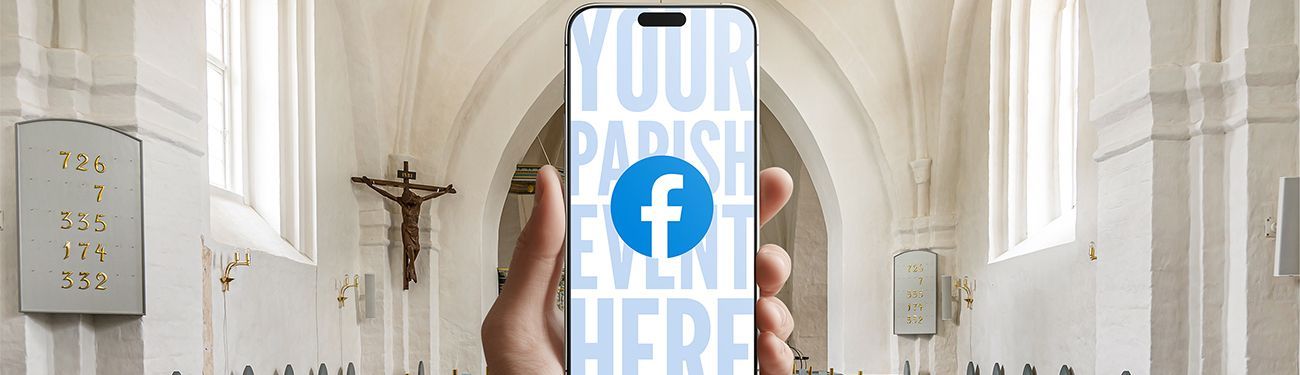
Facebook remains one of the easiest and most effective ways for churches to promote events and reach their parishioners. Using your church’s Facebook page can help increase attendance and provide an additional space for your members to interact and build community online! Read on to learn how to create an event on Facebook.
Why Facebook Events Work Well for Catholic Church Events
Facebook Events give your parish a central place to share event details, updates, and reminders while also building your online community. For example, when someone marks themselves as “Interested” or “Going,” the parish event also pops up in their friends’ feeds — whether or not they are involved with your parish. This is a great way to give your church events organic visibility beyond your regular online followers!
For Catholic churches, Facebook Events work especially well for:
- Parish festivals
- Fundraisers
- Advent and Lenten events
- Vacation Bible School registration
- Parish missions or guest speakers
- Special liturgies or holy day celebrations (like Easter Vigil)
- Ministry retreats
- Community celebrations of sacraments
- Concerts
- Special participation projects (like a Giving Tree or mission support)
- Service projects
- Parish yard sales
Unlike a regular post, a Facebook Event keeps all event information — time, location, description, and updates — in one place. It also lets you post reminders, share schedule changes, and answer questions directly in the event discussion. This central space also allows participants to post in the event to express excitement about their participation or ask questions. It’s also a great place to post event photos after the event. Posts on the event page remain available to participants long after the event takes place, so it’s a great place to share links to photo albums or an
event write-up in your bulletin or on your website!
Preparing Your Church Facebook Page Before Creating an Event
Before learning how to create an event on Facebook, it’s essential to make sure your church's Facebook Page is set up correctly.
Make Sure You’re Using a Facebook Page (Not a Personal Profile) for Your Church
Church events must be created from your church’s professional Facebook Page, not through one of your staff members’ personal accounts. If your parish already has a page, ensure whoever is creating the event is listed as an admin or editor so they have permission to create events. If your parish has been using a personal Facebook account instead of a Facebook Page, follow these steps to learn how to create a Facebook Page for your church.
Check Your Church’s Facebook Page Details
Before you move on to make your event, make sure to confirm that your church’s Facebook Page includes:
- Your church’s correct name
- A clear profile photo (best practice is to use your parish logo)
- An updated cover image
- Accurate address and contact information
- A description of your parish (include your mission statement)
This helps build trust and ensures people know that any event organized for your parish is officially affiliated with it.
How to Create an Event on Facebook Using Your Church Page
Once your Page is ready, you can follow these simple steps.
Step 1: Go to Your Church Facebook Page
Log in to Facebook and navigate to your church’s Page. NOTE: Make sure you are acting as the Page, not as yourself.
Step 2: Click “Events”
On the Page menu, look for the “Events” tab. If you don’t see it right away, click “More” to find it.
Step 3: Select “Create Event”
Click the “Create Event” button and choose “Public Event.” Public events allow anyone on Facebook to view and share them. If the event is meant to be private, like, for example, if the event is only for members of a certain ministry, go ahead and make it a private event. The caveat there, though, is that this option should only be chosen if the ministry members (or whoever the private event is specifically for) are all on Facebook. The person creating the event can specifically invite the private event members through Facebook. Otherwise, if your event is open to the public, use the “Public Event” option.
Step 4: Add Event Details
Fill out the basic information prompts for the event carefully:
- Event name — Keep it clear and simple, like “Easter Vigil Mass at St. Joseph Church”
- Date and time — Include start and end times if possible
- Location — Add your church address or select “Online Event” if applicable
- Description — Explain what the event is, who it’s for, and what to expect. Link to any event landing page you might have on your parish website, or if there is a registration link or a fee attached to the event, make sure to include it in the description.
(Get more digital marketing tips for your events here.) Don’t forget to also include parking info, childcare notes, and
accessibility details.
No matter what your message, be sure to use friendly, clear, and welcoming language throughout. If your social media policy includes an agreed-upon voice for how you communicate online, be sure to use it!
Step 5: Add an Event Cover Image
Upload an image that reflects your parish and the event. This image will be one of the first things people notice, so make sure it makes sense for whatever event you are advertising! For Facebook event cover images, the recommended size is 1920 x 1005 pixels with a 16:9 aspect ratio. For help with this, Facebook provides these in-depth instructions.
Step 6: Publish Your Event
Once everything looks correct, click “Publish.” Once published, your event is now live and can be shared.
Promoting Your Event with Church Facebook Advertising
Congratulations! Your event is created. Unfortunately, though, that doesn’t mean Facebook will automatically promote your event to all your followers and the greater community. To increase your event’s visibility, it needs engagement such as shares, comments, and RSVPs (like “Interested” and “Going”). This is where Facebook advertising, referred to in Facebook as “boosting” your event, can help!
Boosting your event on Facebook creates a quick, easy advertisement that is more likely to reach people in your local community. The best part? You don’t have to spend a lot of money for it to be effective! In fact, you can choose any budget you want when you boost an event. Even a modest budget can help ensure your boosted Facebook Event appears in the feeds of parishioners and other demographics you target with your event ad.
Final Church Facebook Event Tip: Keep the Event Updated
As the event approaches, be sure to post reminders, schedule updates, or helpful notes directly in the event discussion. This keeps the event active, encouraging Facebook to make the event more visible in your followers’ feeds and suggestions. This also helps parishioners feel comfortable attending the event, as your thorough updates and hype posts keep people informed and welcomed.
Learning how to create an event on Facebook is a simple step that can make a big difference in your church’s communication strategy. With a little bit of setup and consistency, Facebook Events is a reliable tool for connecting your parish with the community you serve. Choose one upcoming parish event this month and try creating a Facebook Event for it. We hope your efforts will create a grand reception!
For more fantastic tips and tricks of the trade to use your church's social media to the best of your ability, head on over to the Complete Guide to Catholic Church Social Media Management! It’s free and gives an excellent in-depth look at how Catholic churches can effectively reach their communities with the Good News through social media.
Share
You might also like
LPi Blog